Starting a personal blog is one of the best ways to share your thoughts, ideas, stories, skills, and experiences with the world. Whether you want to write about lifestyle, travel, fitness, business, tech, or your daily life—blogging helps you build an online identity.
But the biggest problem most beginners face is this:
They want to start a blog… but they don’t know where to begin.
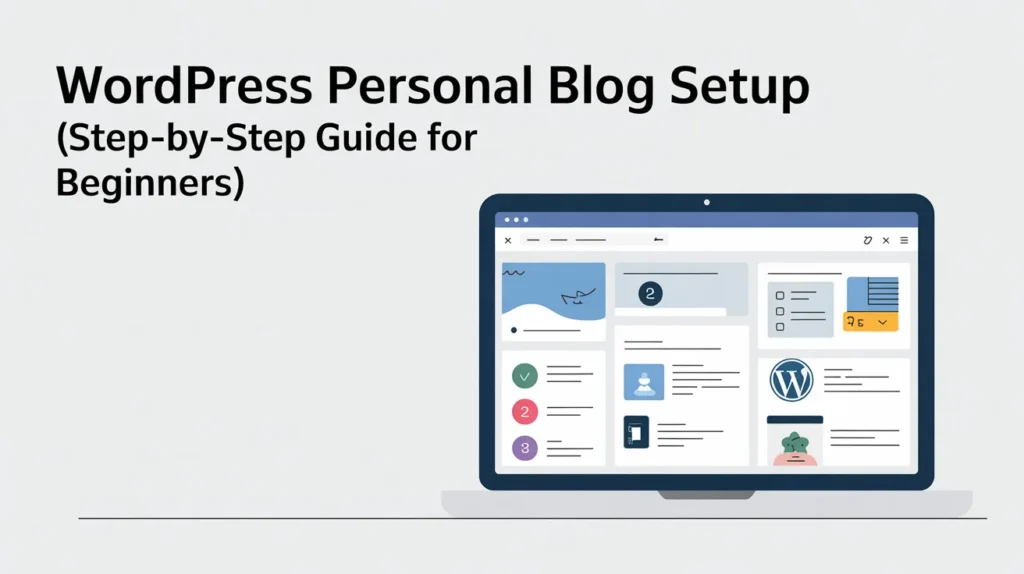
The good news is, you don’t need to be a developer. With WordPress, you can launch your personal blog in a few hours. In this guide, I’ll show you the exact steps to set up a WordPress personal blog the right way—so it looks professional, loads fast, and is easy to manage.
Who actually needs a personal blog today?
- Engineers: To document complex “how-to” guides, code snippets, and architectural decisions. This serves as a live portfolio for high-paying roles.
- Doctors: To build trust with patients, share health tips, and control their professional narrative in AI search results (instead of letting third-party review sites do it).
- Consultants/Thought Leaders: To own their audience. Social media platforms can change their algorithms or disappear, but you own your blog and your email list forever.
How much time will it take?
A Fiverr expert can usually set up your theme, essential plugins (SEO, Security, Speed), and main pages within 2 to 4 days.
Can I do it myself?
You can, but the learning curve for SEO optimization, CDN integration, and security usually takes 30+ hours of research. Hiring an expert saves you those hours so you can start writing content immediately.
Why Choose WordPress for a Personal Blog?
WordPress is the most popular blogging platform in the world—and for good reason.
Here’s why WordPress is perfect for personal blogging:
- Beginner-friendly (you don’t need coding)
- You can build a clean, professional design
- Easy to write and publish posts
- Supports SEO plugins for better Google ranking
- Thousands of themes and tools available
- You can later upgrade your blog into a business website
If you want long-term control and growth, WordPress is the best choice.
What You Need to Start a WordPress Personal Blog
Before you start building your blog, make sure you have these basics:
1) A domain name
This is your blog’s address, like:
- yourname.com
- mytraveljournal.com
- fitnesswithshakil.com
Try to keep it short, simple, and easy to remember.
2) Web hosting
Hosting is where your website files live. Without hosting, your blog can’t go online.
A good hosting provider should offer:
- Fast speed
- Strong uptime
- Easy WordPress setup
- SSL security
3) A WordPress setup plan
You can either:
- Set up WordPress yourself (DIY), or
- Hire a WordPress expert (fast and stress-free)
If you’re a beginner and want a smooth start, hiring an expert can save you time.
Step 1: Buy Hosting and Domain
The easiest way to start is to get a domain and hosting together.
This makes everything simpler because:
- Your domain connects easily
- WordPress installs faster
- Your site gets SSL and security ready
Recommended Hosting Option: Hostinger
Hostinger is beginner-friendly and works great for WordPress blogs.
It’s a smart choice because you get:
- 1-click WordPress installation
- Free SSL
- Fast website performance
- Easy control panel
- Affordable plans for beginners
Get Hostinger Hosting + Domain with up to 82% discount.
How much does a professional blog setup cost?
- Hosting: ~$2.5–$7.99/mo for the plan. (choose your plan)
- Expert Setup: $15–$50 on Fiverr (one-time).
- Total: You can have a high-end, professionally configured blog for less than $100 total for the first year.
Step 2: Install WordPress (1-Click Setup)
Most modern hosting providers allow 1-click WordPress installation.
After installation, you’ll get access to your WordPress dashboard:
yourdomain.com/wp-admin
From there, you control everything:
- Blog posts
- Pages
- Design
- Plugins
- Settings
Step 3: Pick a Blog Theme (Simple and Clean)
Your theme controls how your blog looks.
For a personal blog, always choose a theme that is:
- Mobile-friendly
- Fast
- Minimal and clean
- Easy to read
A good blog design helps your visitors stay longer and read more posts.
Personal Blog Theme Tips
Avoid themes that are:
- Too heavy
- Too many animations
- Too many colors
- Confusing layouts
A personal blog should feel calm, simple, and readable.
Step 4: Set Up Your Important Pages
Your personal blog is not only posts. You also need a few basic pages.
Must-have pages for every personal blog:
- Home (your blog homepage)
- About Me (people love this)
- Blog (your posts page)
- Contact (email or form)
- Privacy Policy (important for SEO + ads)
Even if your blog is personal, these pages make it look professional.
Step 5: Set Up Your Blog Menu and Categories
A good blog structure helps visitors explore your content easily.
Setup a clean navigation menu like:
- Home
- Blog
- About
- Contact
Create blog categories like:
- Lifestyle
- Travel
- Fitness
- Personal Development
- Business Tips
- Reviews
Do not create too many categories at the beginning. Start with 3–6.
Step 6: Install the Essential WordPress Plugins
Plugins add features to your blog.
But here’s the beginner mistake:
Installing too many plugins makes your blog slow.
So install only what you need.
Must-have plugin types:
- SEO plugin (Rank Math or Yoast)
- Cache plugin (for speed)
- Security plugin
- Backup plugin
- Contact form plugin
If you hire a professional setup expert, they usually install the best plugins and configure everything properly.
Step 7: Make Your Blog Fast and Mobile-Friendly
Speed matters for two reasons:
- Visitors leave slow websites quickly
- Google ranks fast sites higher
A good personal blog should load fast on mobile.
Basic things that improve speed:
- Lightweight theme
- Compressed images
- Caching setup
- Clean homepage layout
🛠 Why Hire a WordPress Expert for Your Personal Blog?
Even with AI website builders, a “DIY” blog often lacks the technical foundation needed to rank on Page 1. Here is why hiring a professional on Fiverr is a game-changer:
- Customization Beyond Templates: A DIY blog looks like a thousand others. An expert can create a unique “About Me” page and a custom layout that reflects your personal brand.
- Technical SEO (Schema & Metadata): In 2026, search engines need “Schema Markup” to understand your expertise. Experts set this up so your blog posts appear in AI-summarized search results.
- Core Web Vitals: Google penalizes slow sites. A developer ensures your blog passes the Largest Contentful Paint (LCP) and Cumulative Layout Shift (CLS) tests from day one.
- Security Hardening: Personal blogs are frequent targets for “brute force” attacks. An expert will install advanced firewalls and hide your WordPress login to keep your data safe.
- Hire an expert from fiverr.
The “Pro Choice”: Hostinger Cloud Startup Plan
If you are serious about your blog, skip the basic shared hosting. I recommend the Hostinger Cloud Startup plan. It’s designed for those who want the power of a dedicated server without the technical headache.
- 10x Better Performance: Unlike shared hosting, you get dedicated resources (3 GB RAM, 2 CPU Cores). Your site stays fast even if your post goes viral.
- Dedicated IP Address: This improves your email deliverability and site security significantly.
- Ultra-Fast Storage: 200 GB of NVMe storage means your high-res images and videos load instantly.
- Priority Support: You get 24/7 access to Hostinger’s top-tier technical team to skip the wait.
Invest in your growth. The Cloud Startup plan is the “Sweet Spot” for professionals who need 100% reliability. Use my code for an extra discount: Get Hostinger Cloud Startup Here
Frequently Asked Questions (FAQ)
1. Is WordPress good for personal blogging?
Yes, WordPress is one of the best platforms for personal blogging because it’s flexible, SEO-friendly, and easy to manage.
2. How much does it cost to start a WordPress personal blog?
You’ll need hosting and a domain. Costs depend on the hosting plan you choose and any optional services you hire.
3. Do I need coding to start a WordPress blog?
No. WordPress is beginner-friendly and works with drag-and-drop builders.
4. Can I earn money from a personal blog?
Yes. You can earn from affiliate marketing, ads, sponsored posts, and promoting services.
5. How long does it take to set up a WordPress blog?
DIY setup can take a full day. With a professional Fiverr setup service, it can be done in 1–3 days.